

🚨(Must Read) The Latest Trend❗️Complete Summary of GLN QR Payment Details‼️(Updated Information Reflected)


You've probably heard of GLN payment, the payment method that's become really popular lately among people traveling abroad~~ On this trip to Da Nang, I was able to pay with just a QR code, no card needed, which really helped cut down on the burden of currency exchange~ With the GLN service, you can also withdraw cash from ATMs. This time though, so many of you were curious about QR payments, so This was written based on my own experience using it and the information I gathered. 💳 What is GLN payment? GLN (Global Loyalty Network) is a global payment platform that was spun off from Hana Bank in 2021. It provides an integrated network that connects financial institutions and electronic wallets around the world into one. Scanning a QR code to pay instantly... This is a mobile easy payment service. (It's like the QR payment method used in local pay apps in our country, so it's easier than you might think.) At overseas merchants, payment is made in the local currency, and the amount is automatically converted and deducted from your linked account or card. Since it's not a foreign payment platform, I was able to use it with even more peace of mind~
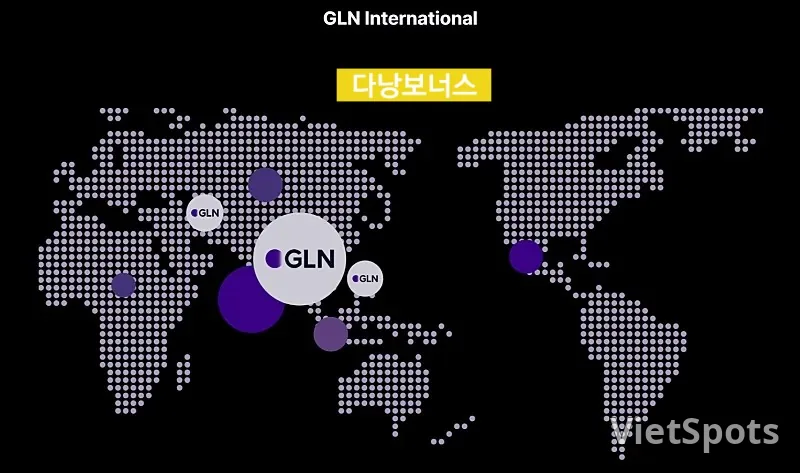
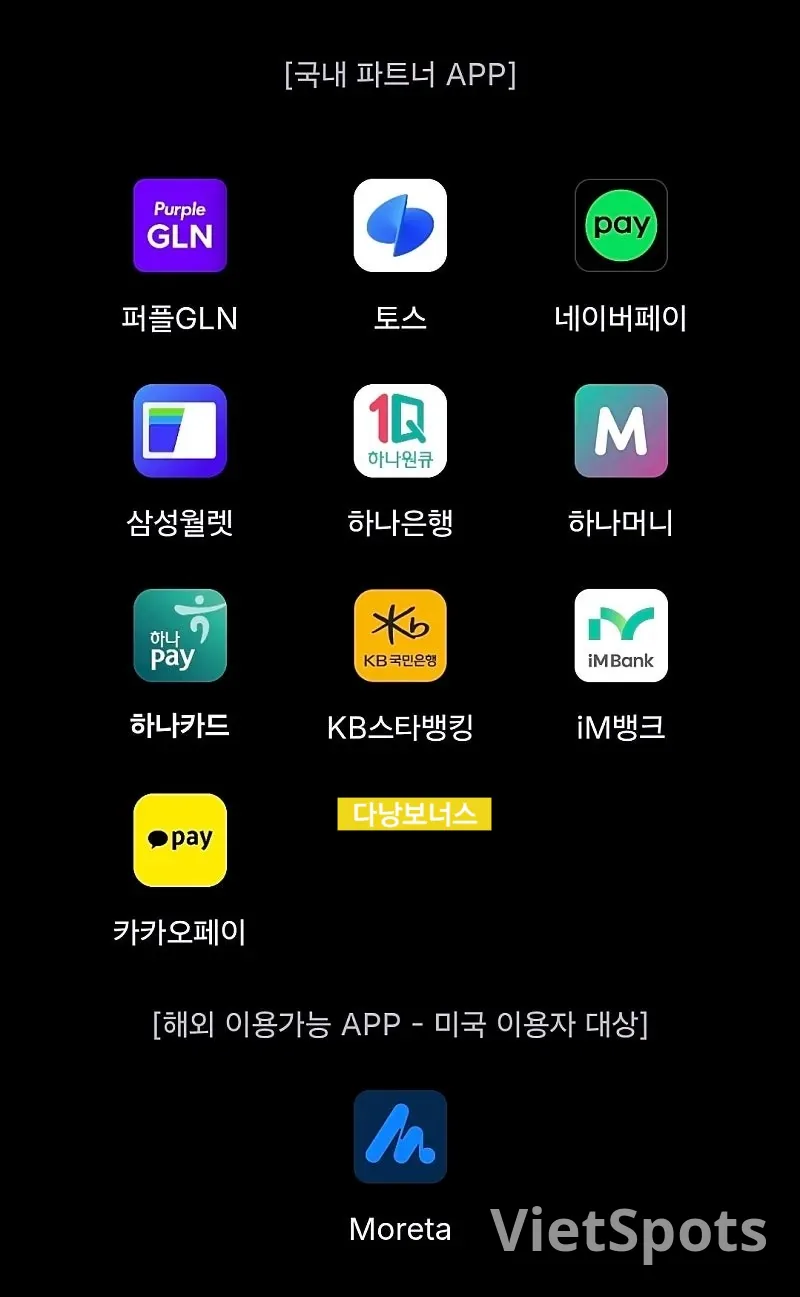
Types of GLN Partner APPs
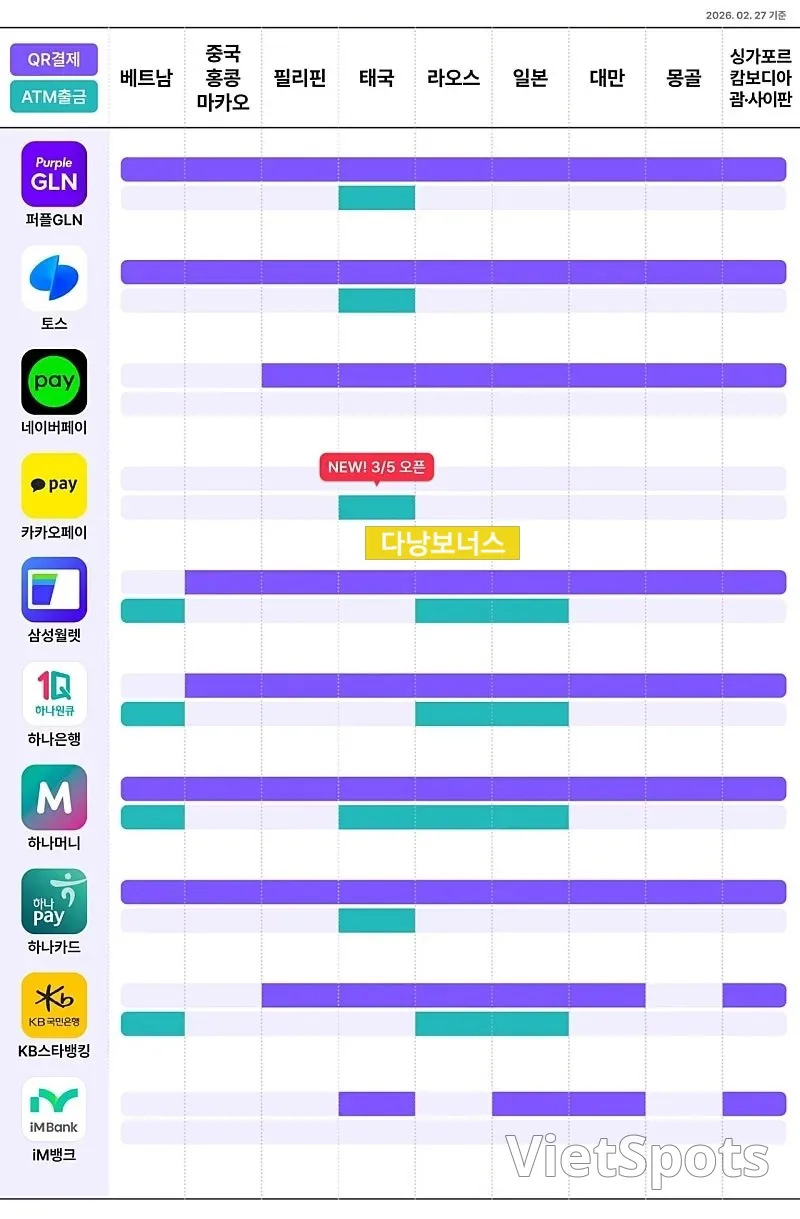
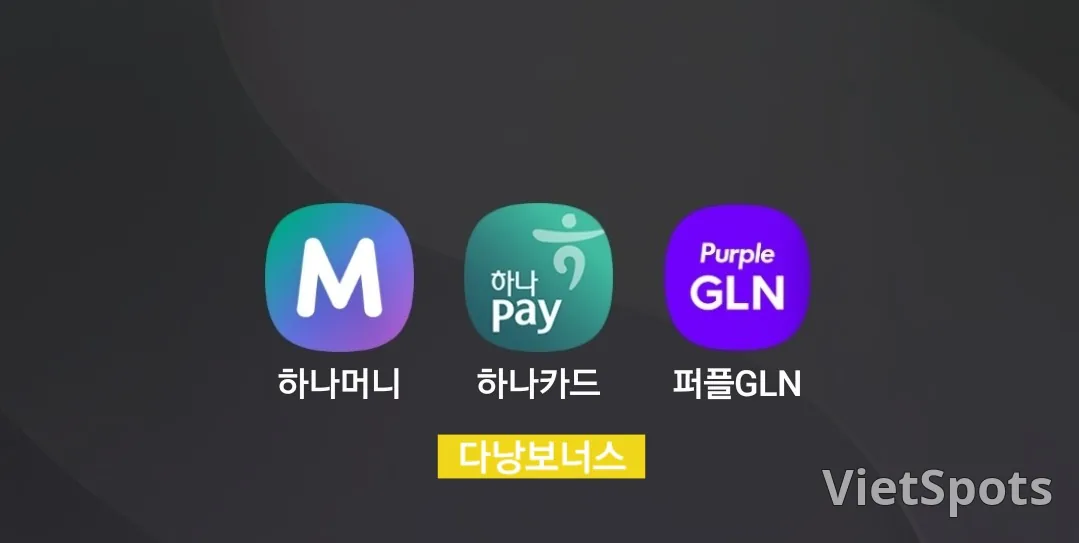
🌎 Available Countries Can be used in major Asian travel destinations such as Vietnam, Thailand, Taiwan, Japan, and more (participating merchants vary by country) 💳 Apps that support QR payment in Vietnam Purple GLN Toss Hana Money Hana Card Not all partner apps work in Vietnam — only the above 4 apps support QR payment. Just in case, please prepare for any unexpected situations It's good to register it as an additional sub-payment method. Just use whichever is convenient for you!! For Toss, Hana Money, and Hana Card too, when you open the app and go in, it connects to Purple GLN. So you end up going through an extra step... Either way, the Purple GLN screen shows up anyway... it was inconvenient. So for me, when I open the app, it links straight to the payment screen I mainly used Purple GLN because it's so easy to use. 💡 Naver Pay is also preparing to launch its service. 💡 Starting March 5th, Kakao Pay will open an ATM withdrawal service in Thailand. Going forward, QR payments will probably keep expanding too~
🌟 Advantages ▪︎ You can pay without exchanging currency ▪︎ No need to go on a wild goose chase looking for an ATM ▪︎ No risk of losing your card ▪︎ Convenient for small payments 🚨 Is there a payment fee? Unfortunately, it's not free. Since this is a global payment platform created by Hana Bank, a GLN network usage fee applies~ Still, it's cheaper than card fees. ▪︎How the payment amount is converted: Local currency amount → converted to USD → converted to KRW (Korean Won) ▪︎Fee structure *Percentage fee: 0.3% of the payment amount (based on USD) (For example, for 10,000 KRW, this is about 230 KRW) *Fixed fee: minimum USD 0.01 (about 13–15 KRW)
📌 How to Install the App The installation process follows the same flow for all apps. 1️⃣ Go to the App Store / Play Store 2️⃣ Search for the app name and install it 3️⃣ Proceed with sign-up 4️⃣ Verify your identity (SMS verification or joint certificate) 5️⃣ Link your bank account or card ⚠️ If you sign up from overseas, the verification text message may not arrive, so please keep this in mind. Must install and sign up in Korea before departure 💳 How to register GLN (common to all apps) The menu location differs by app, but the menu name is almost the same. ▪︎Registration steps 1️⃣ Launch the app 2️⃣ Select Overseas Payment / GLN menu 3️⃣ Agree to the terms of service 4️⃣ Select payment method (bank account) 5️⃣ Registration complete Once registered, you can use overseas QR payment right away! GLN can be used right away once you just install the app → verify your identity → register a payment method, and the most important thing is to set it up in advance before your trip. 📌 How to use GLN
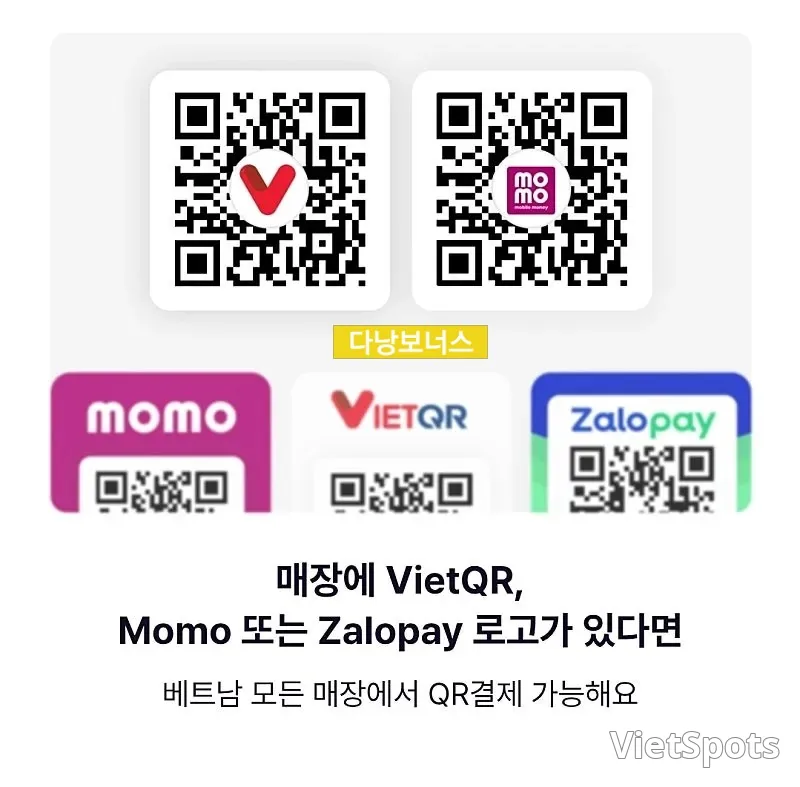
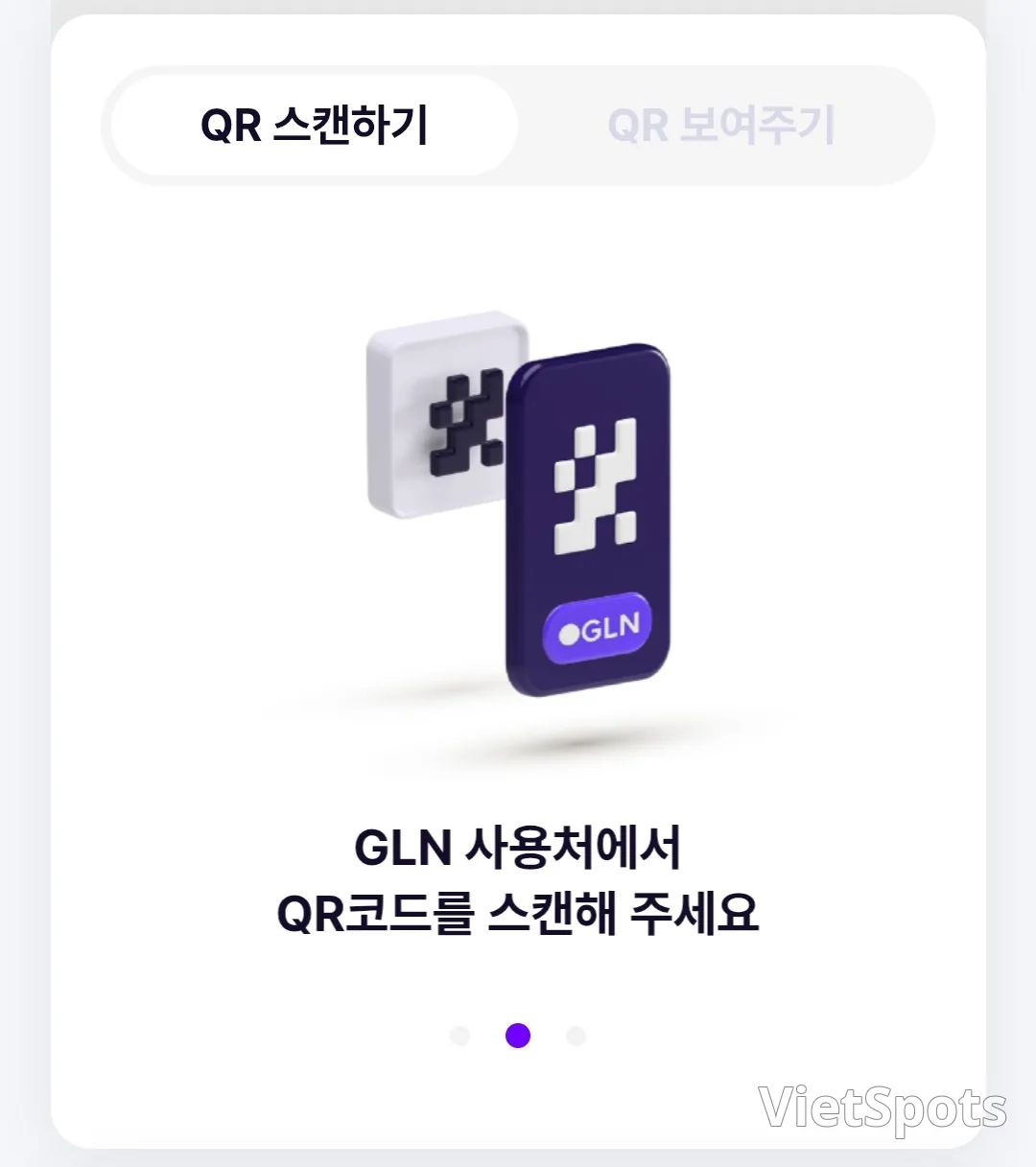
GLN (QR) payment is available at places with the 3 logos shown above. The payment method is very easy. ▪︎Payment Method 1️⃣ Launch the app → select GLN payment 2️⃣ Scan the store's QR code 3️⃣ Confirm the amount and complete payment (After scanning the QR, check the amount → enter your password) ※ Large marts → amount is entered automatically ※ Small stores → sometimes you need to enter it manually ※ If you are not in Vietnam, change the country setting according to your travel destination
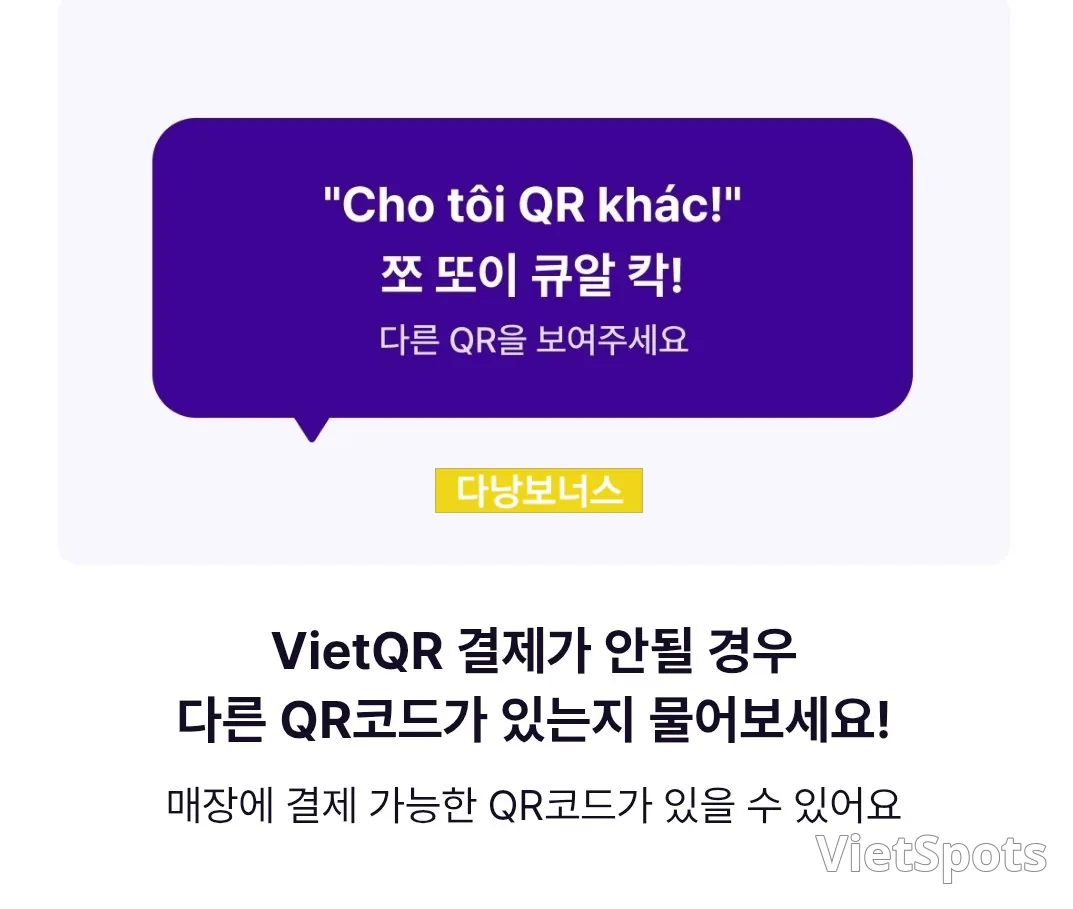
▪︎ Things to watch out for when entering an amount In most cases, the customer enters the payment amount themselves, but please be careful, because in Vietnam people often say an amount while dropping the trailing “000.” ※ Example “200” → means 200,000 VND ※ Example of a mistake Entering 200,000 = correct Entering 2,000,000 = a payment 10 times too much ※ Tip for solving this → Check the quantity is 0 before payment → Show the screen to the staff to confirm Sometimes the store will generate a QR code that already reflects the payment amount — when you scan it, the amount to be paid is automatically applied. Please note that item 3️⃣ may vary from store to store. VIET QR MOMO Zalo pay ⚠️If you don't see these 3 logos, Ask if there are other QR codes! They checked and opened another QR code for me.
📌 Things to check before use ▪︎Enable overseas payment in the app settings ▪︎Enable overseas approval for your linked account/card ▪︎Internet (data) connection required ▪︎Prepare a physical card for emergencies ▪︎In countries like Thailand and Hong Kong, if you top up GLN money, it is converted into the local currency for payment ▪︎In Vietnam, withdrawals are made directly from your linked account! Be sure to check your account balance
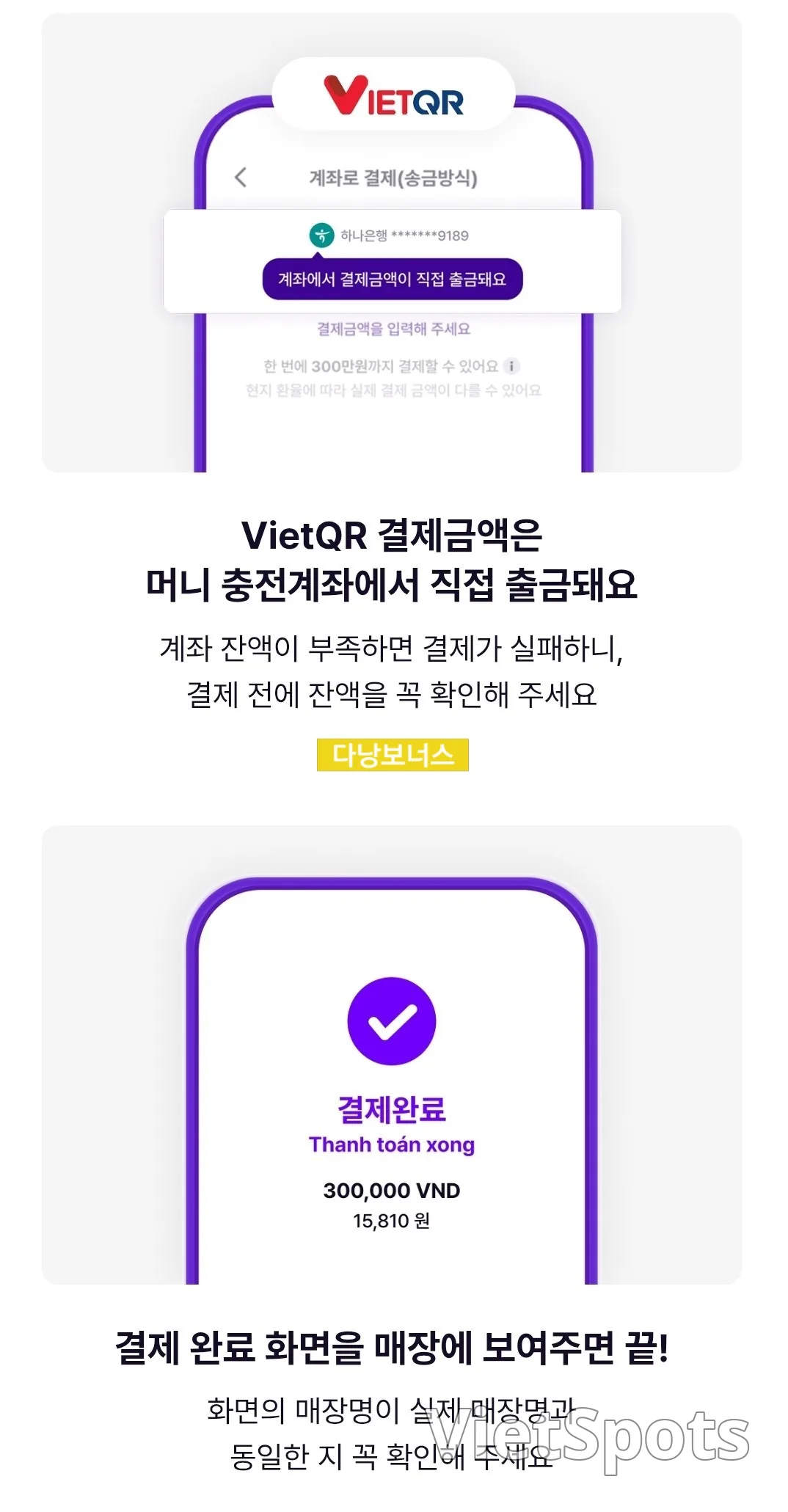
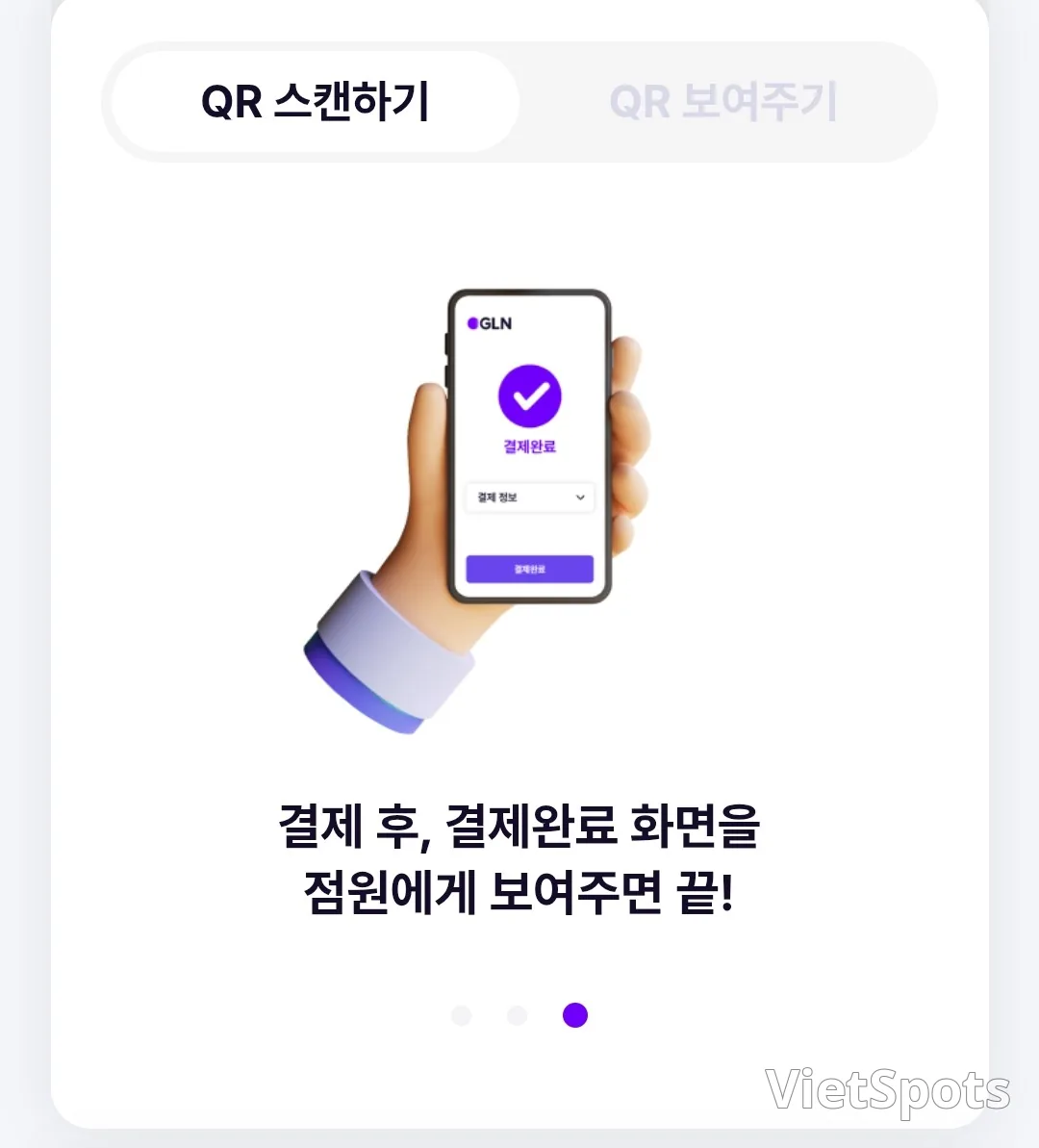
📌 Travel Tip "Cash + Card + GLN" If you prepare all three payment methods together, you can travel without worrying about payments in any situation. If you're preparing for an overseas trip, we recommend registering in advance. Use cash and your travel card as your main payment methods, but be sure to keep GLN as an 'essential emergency item'! Searching for an ATM in the scorching heat is such a hassle... 😭 Even when you find one, you either pay a fee to withdraw cash or the machine swallows your card... At checkout, not enough cash! An emergency situation... There's a small global network usage fee (surcharge), but it's just small enough to solve this kind of inconvenience, so I found it really useful to use. 🔶️ Payment in progress screen Lastly, by GLN app I'm sharing the payment screen for reference. I hope it helps those of you preparing for a trip. ※ Selecting the country to use is a default setting!! Purple GLN When you open the app, the payment screen comes up right away, so it's convenient. I mainly used the Purple GLN app. Order) Scan QR → Check (enter) payment amount → Enter password → Show payment complete screen (receipt screen at the bottom)
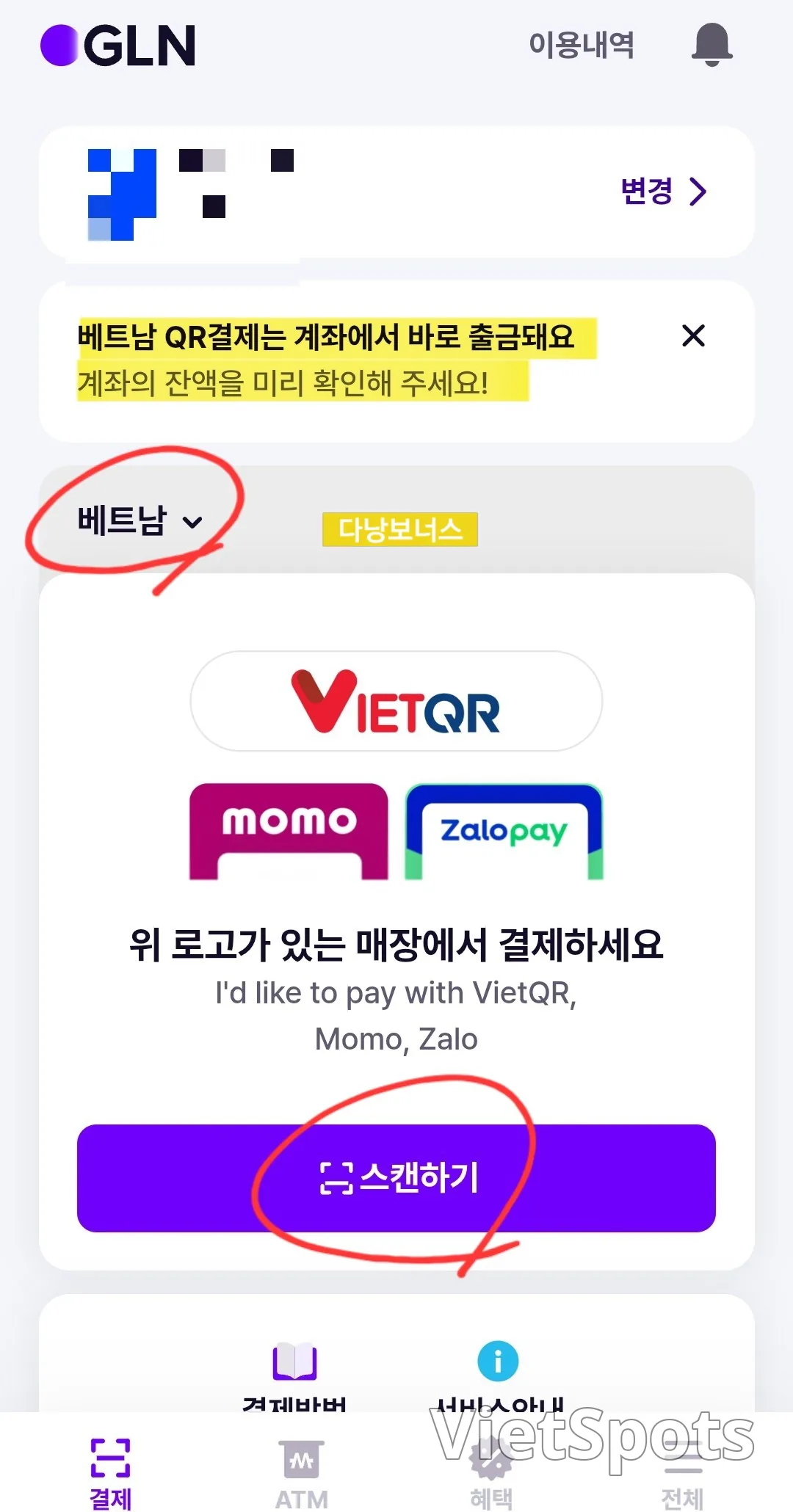
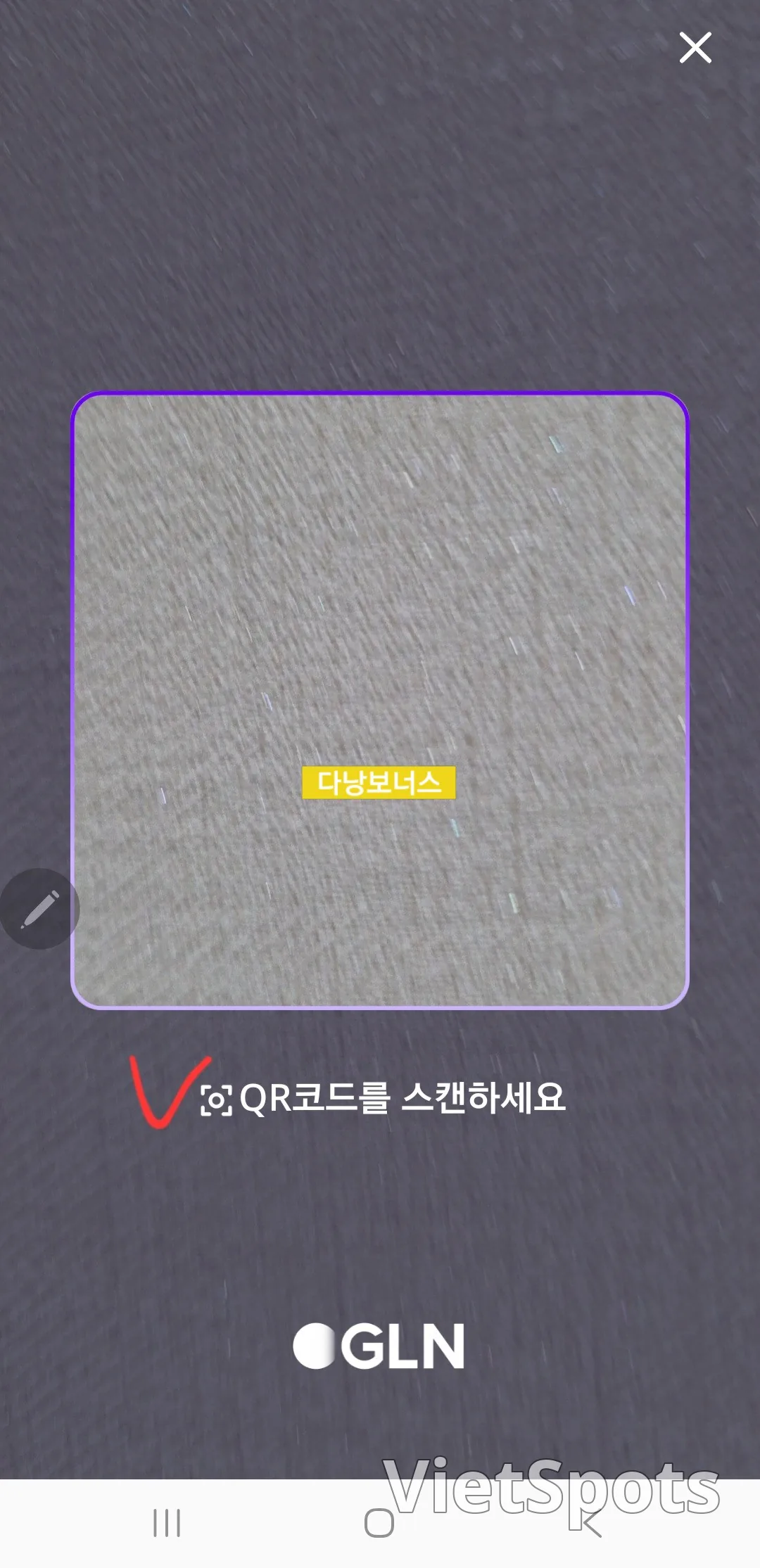
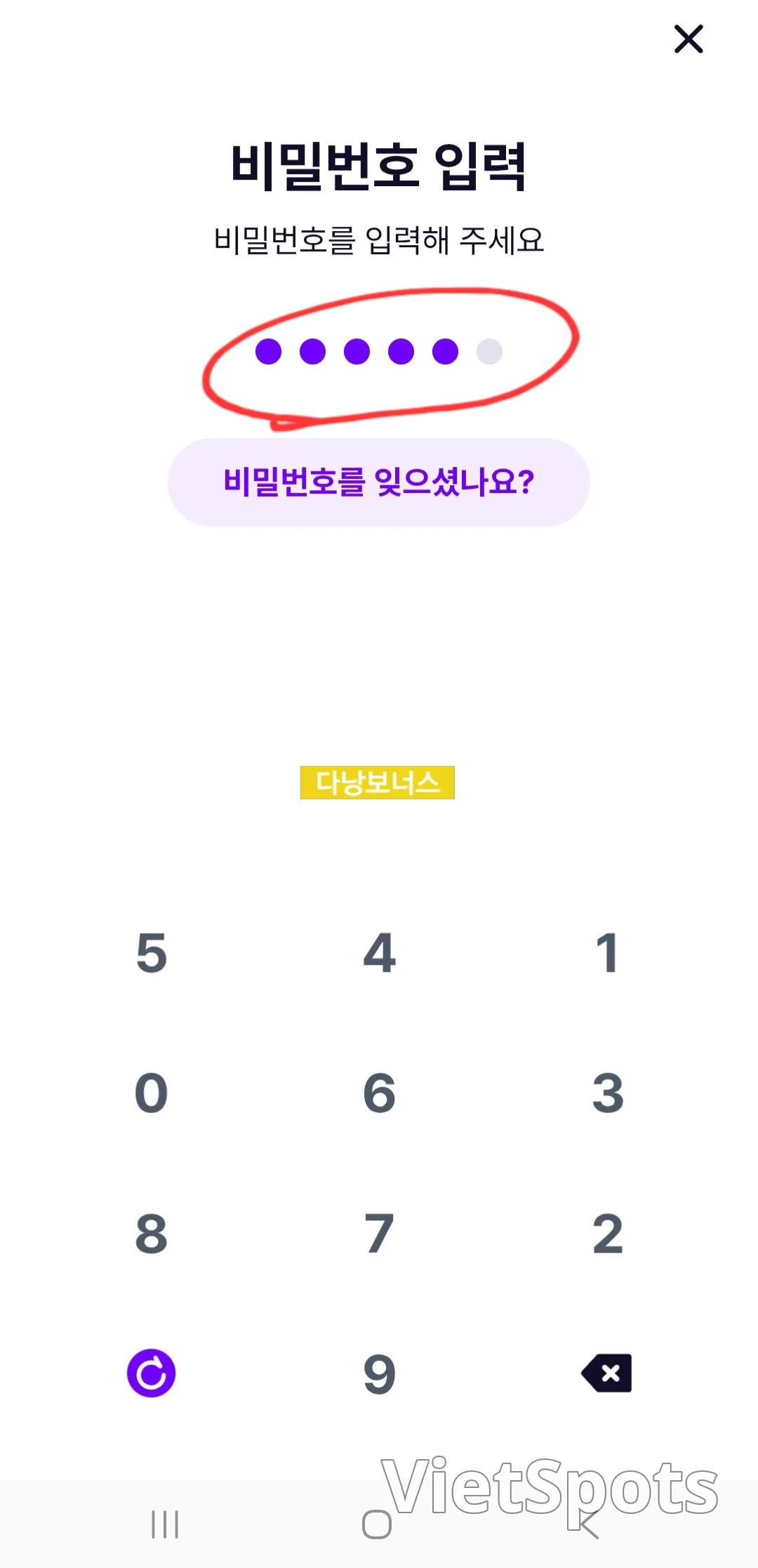
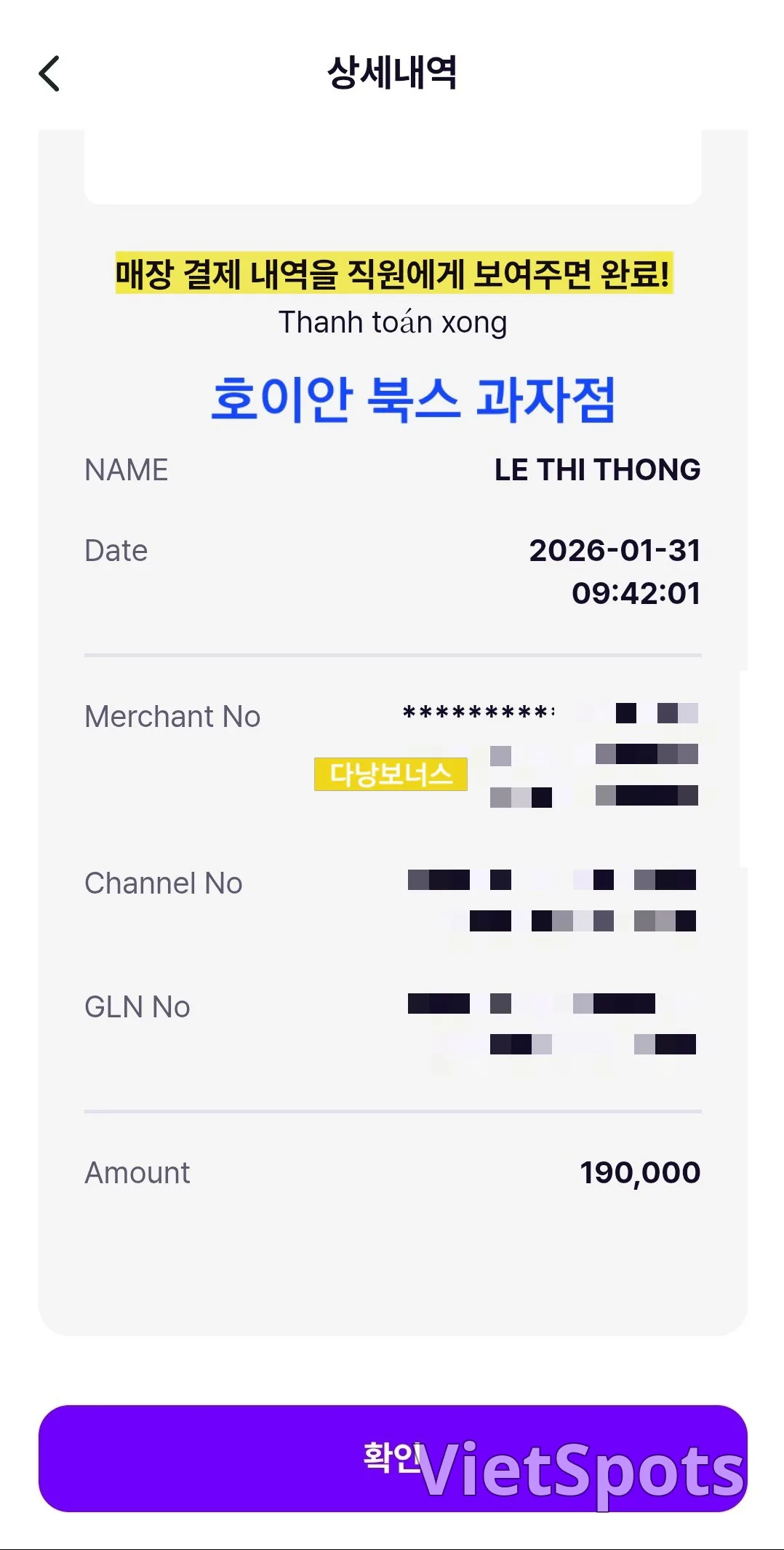
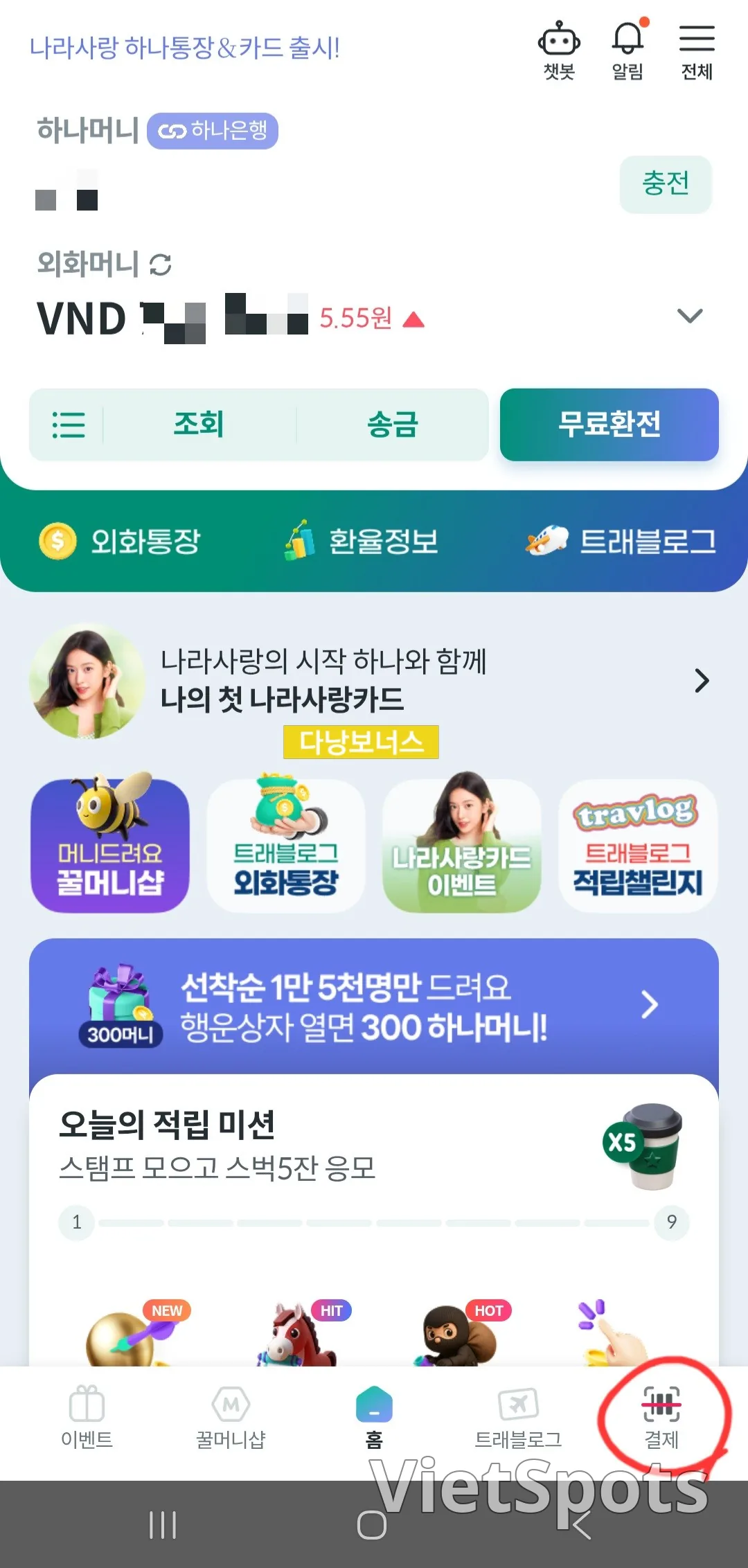
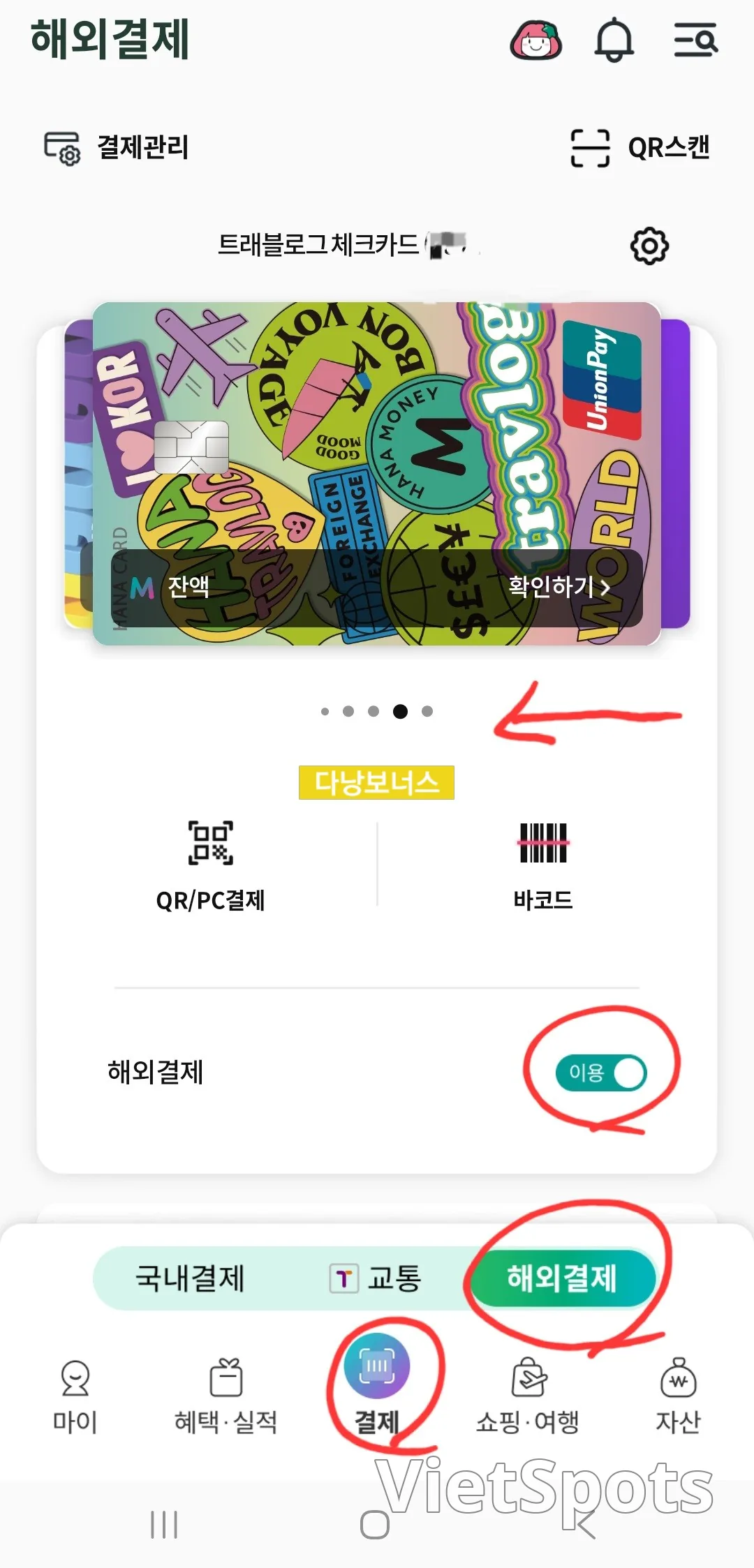
Hana Money and Hana Card require a few more steps compared to Purple GLN. Order: Select payment from main menu → Overseas payment (confirm overseas payment usage is ON) → Select Purple GLN card → GLN payment → (from here on, same as Purple GLN) Scan QR code → Confirm payment amount (enter) → Enter password → Show payment complete screen (receipt screen at the bottom)
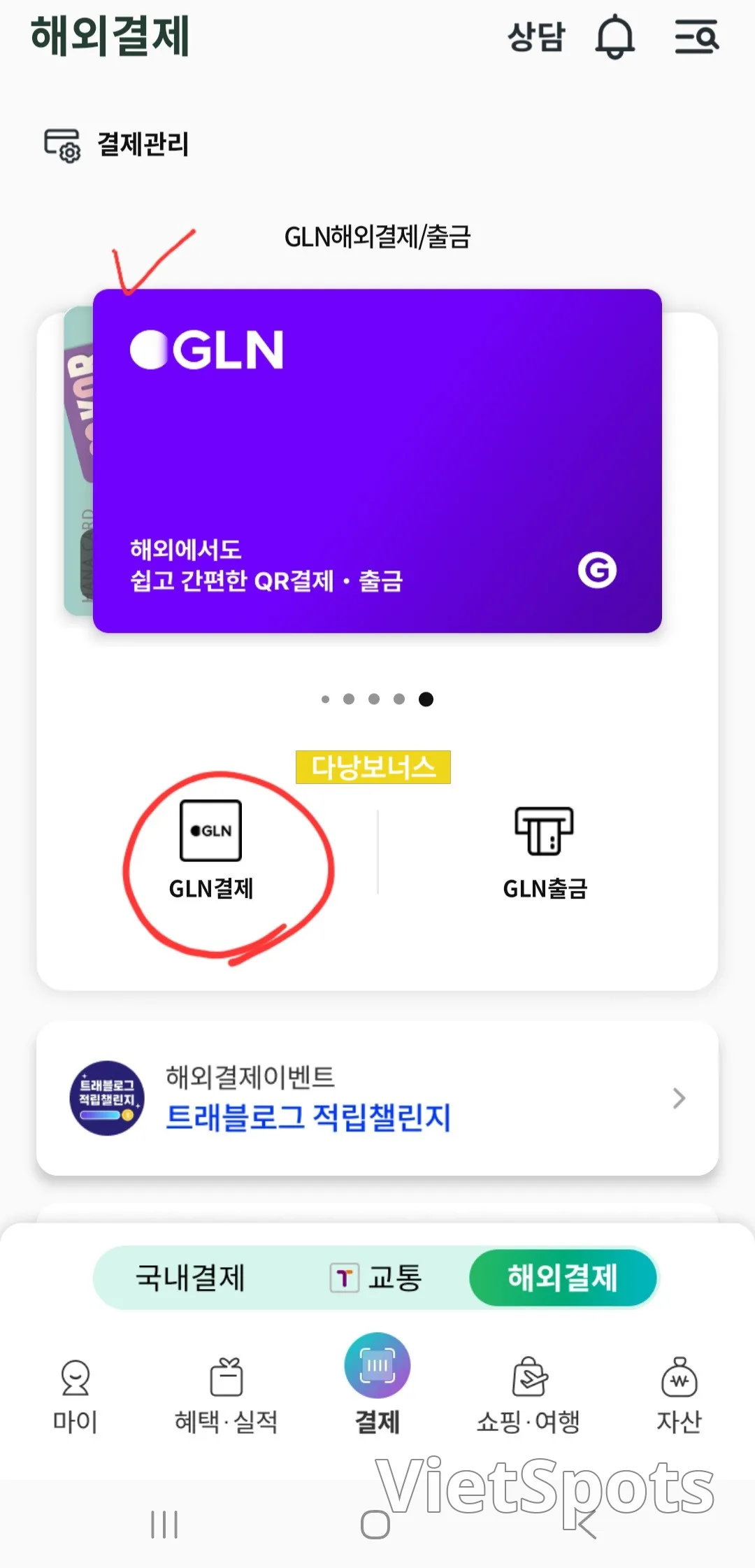
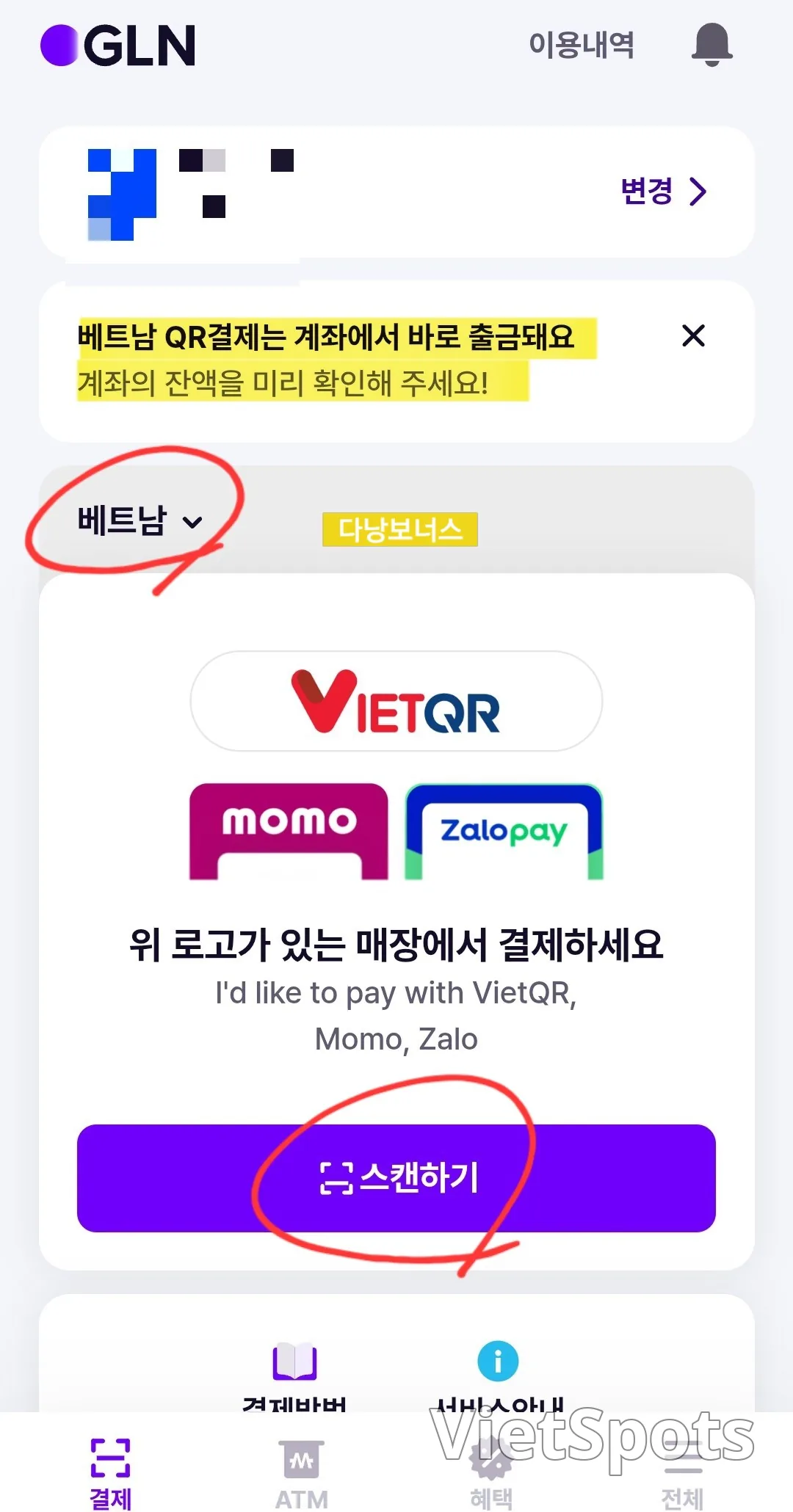
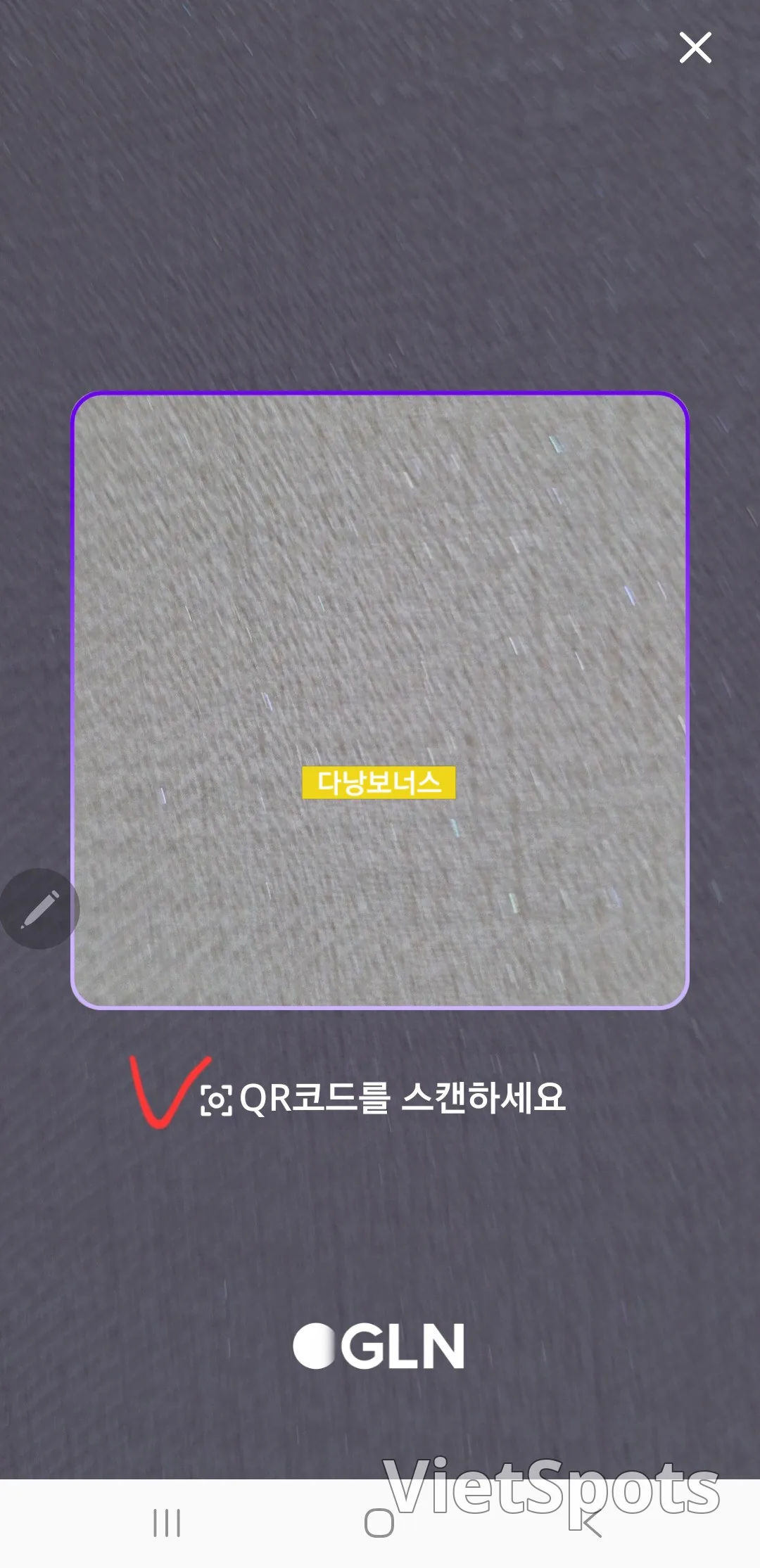
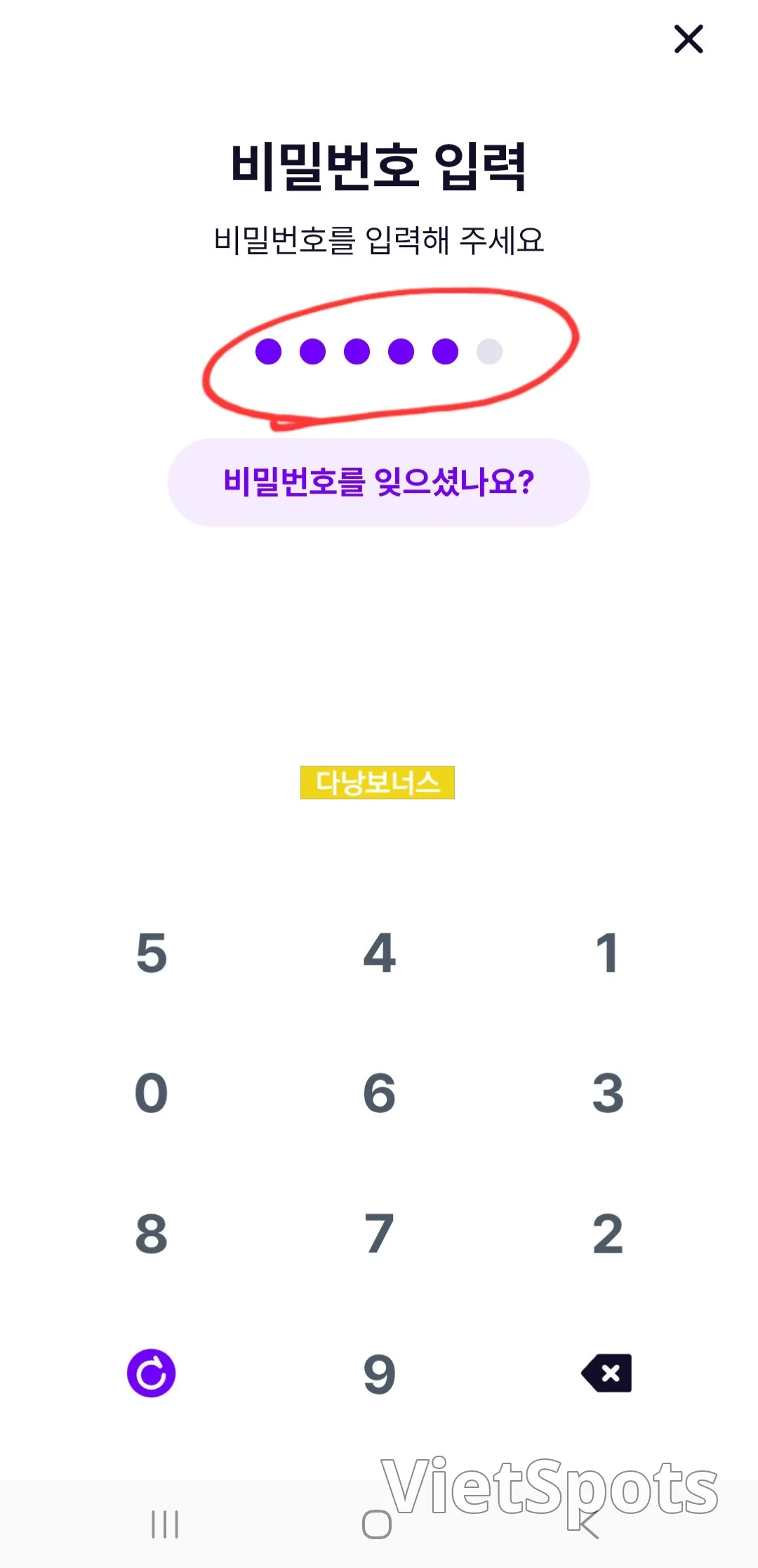
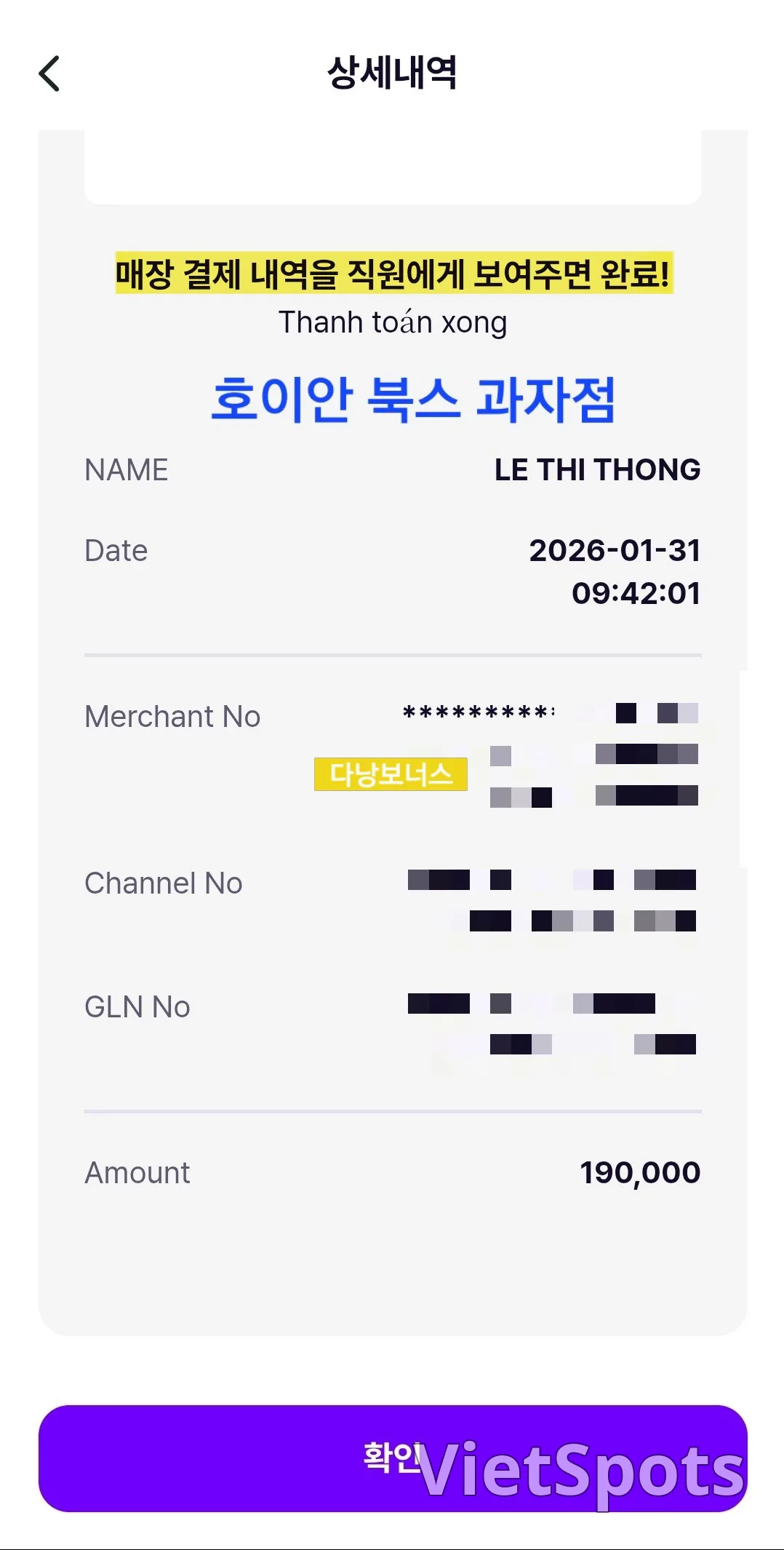
Toss I don't use Toss, so I borrowed a GLN screenshot ^^ The basic GLN payment process is the same.
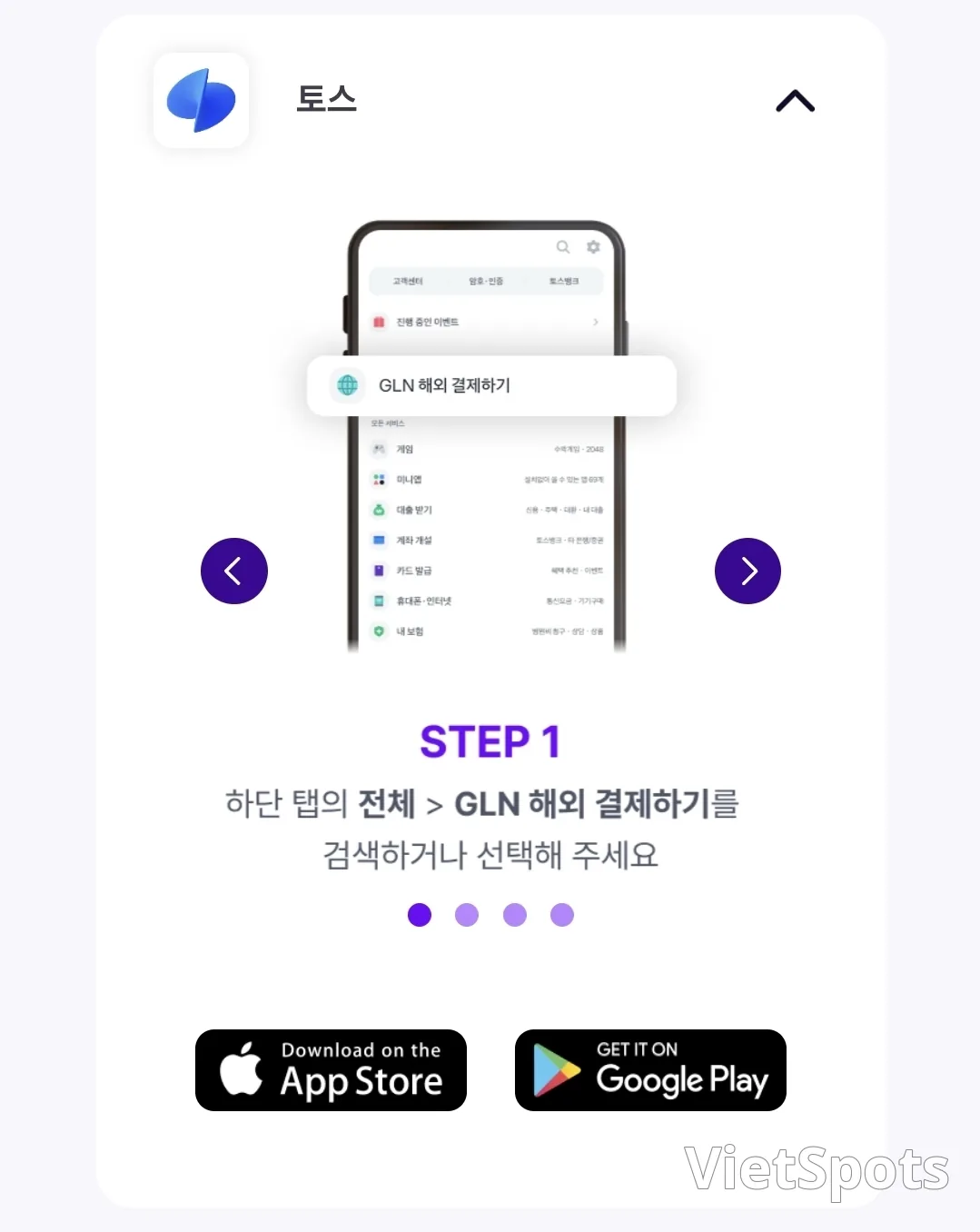
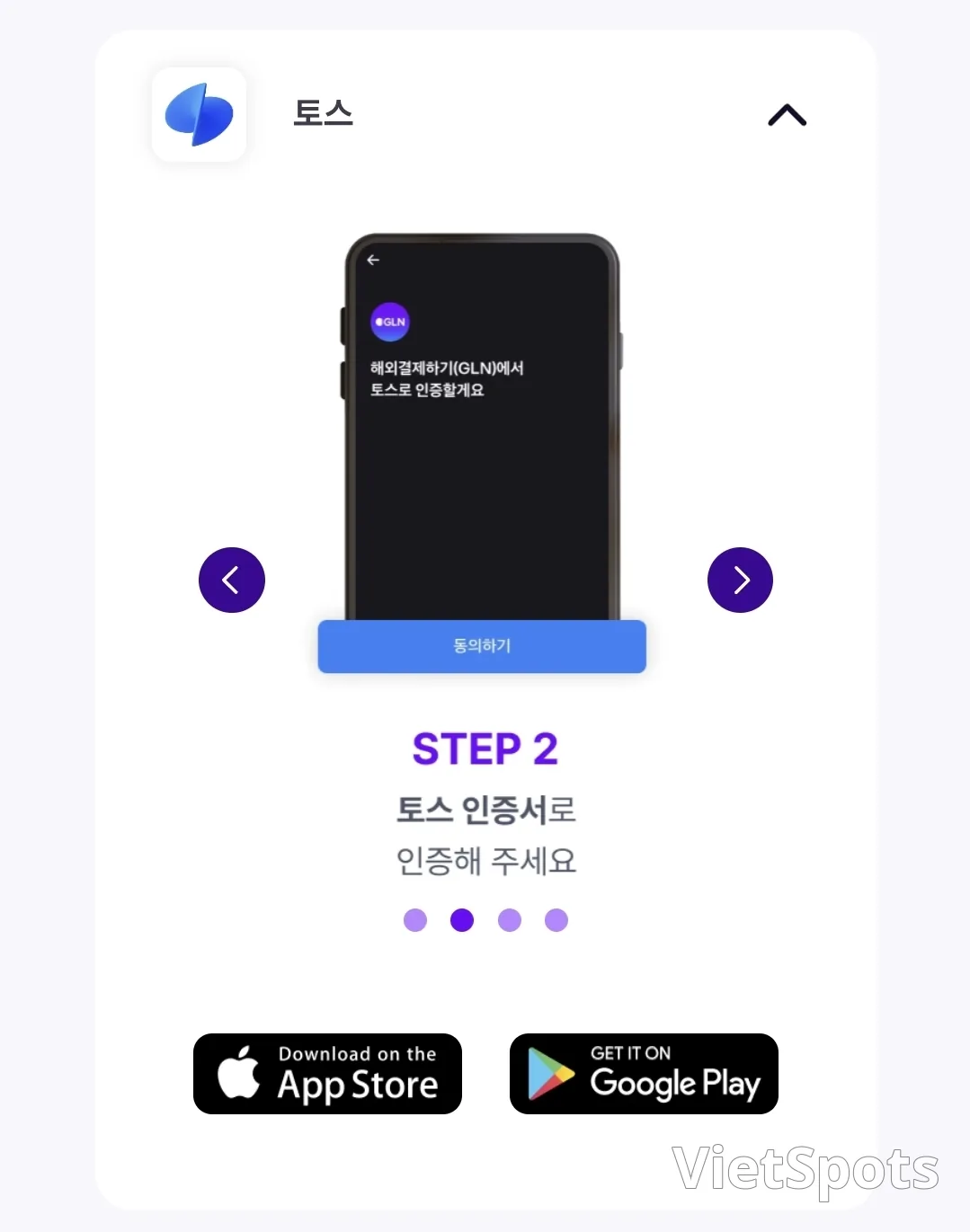
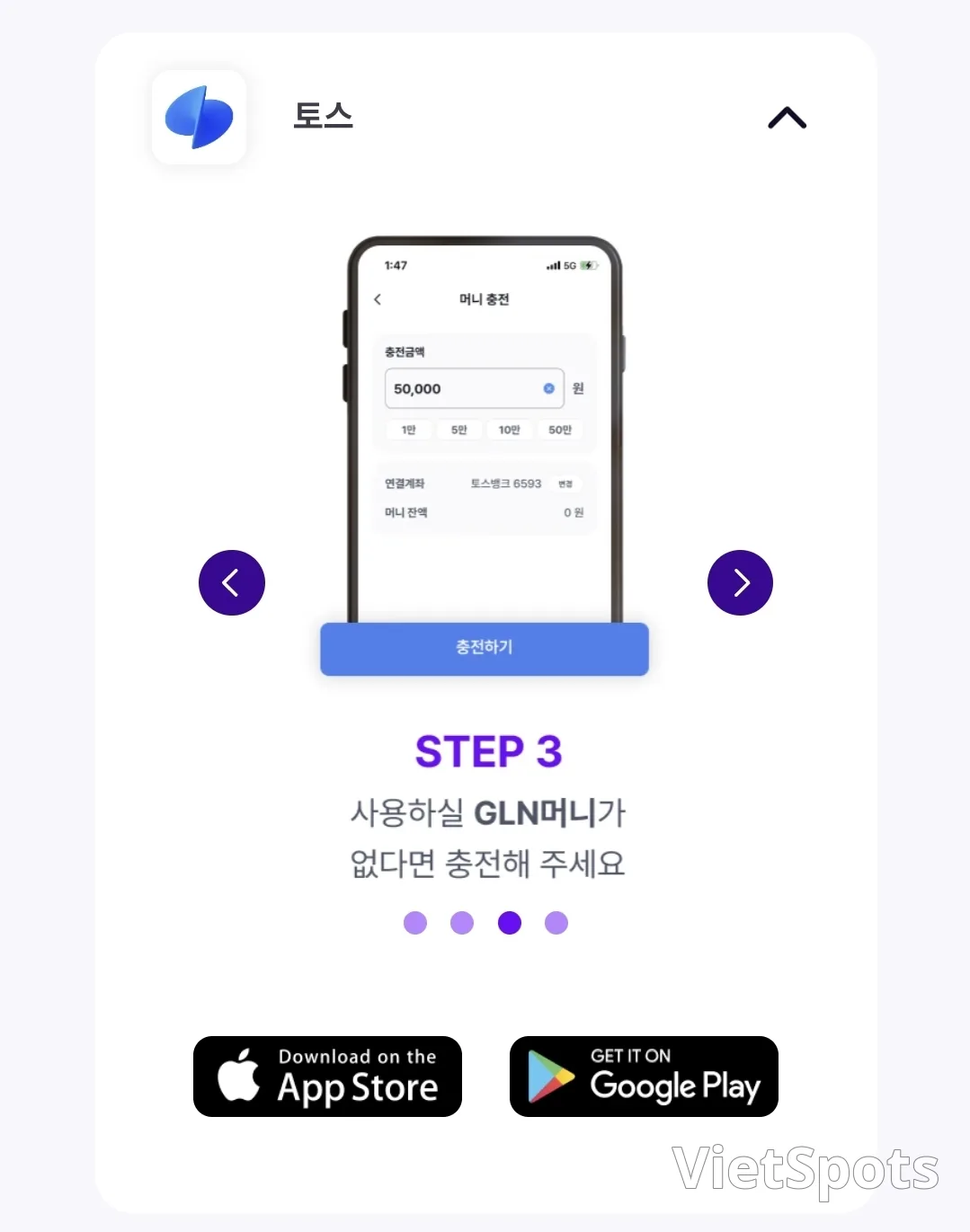
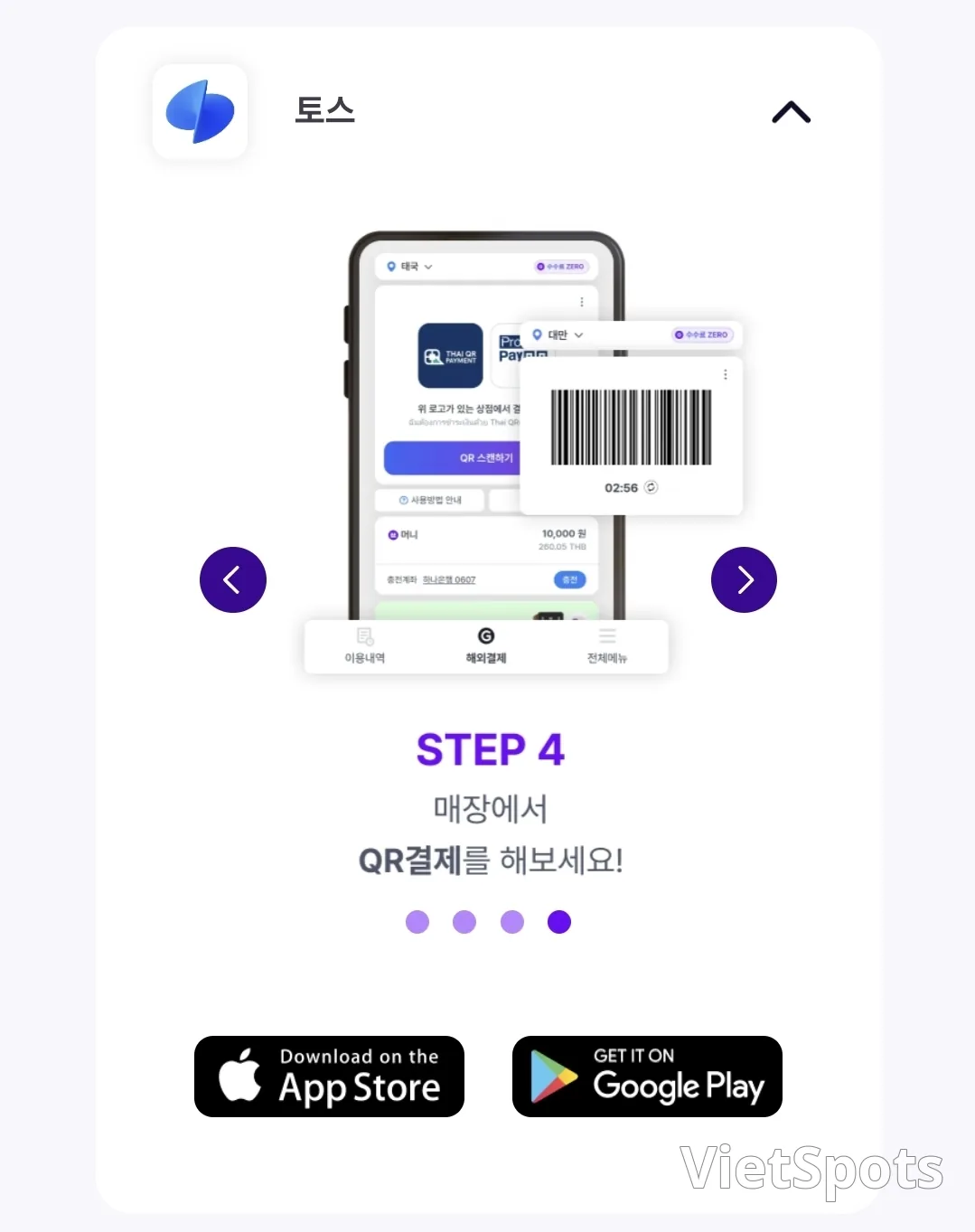
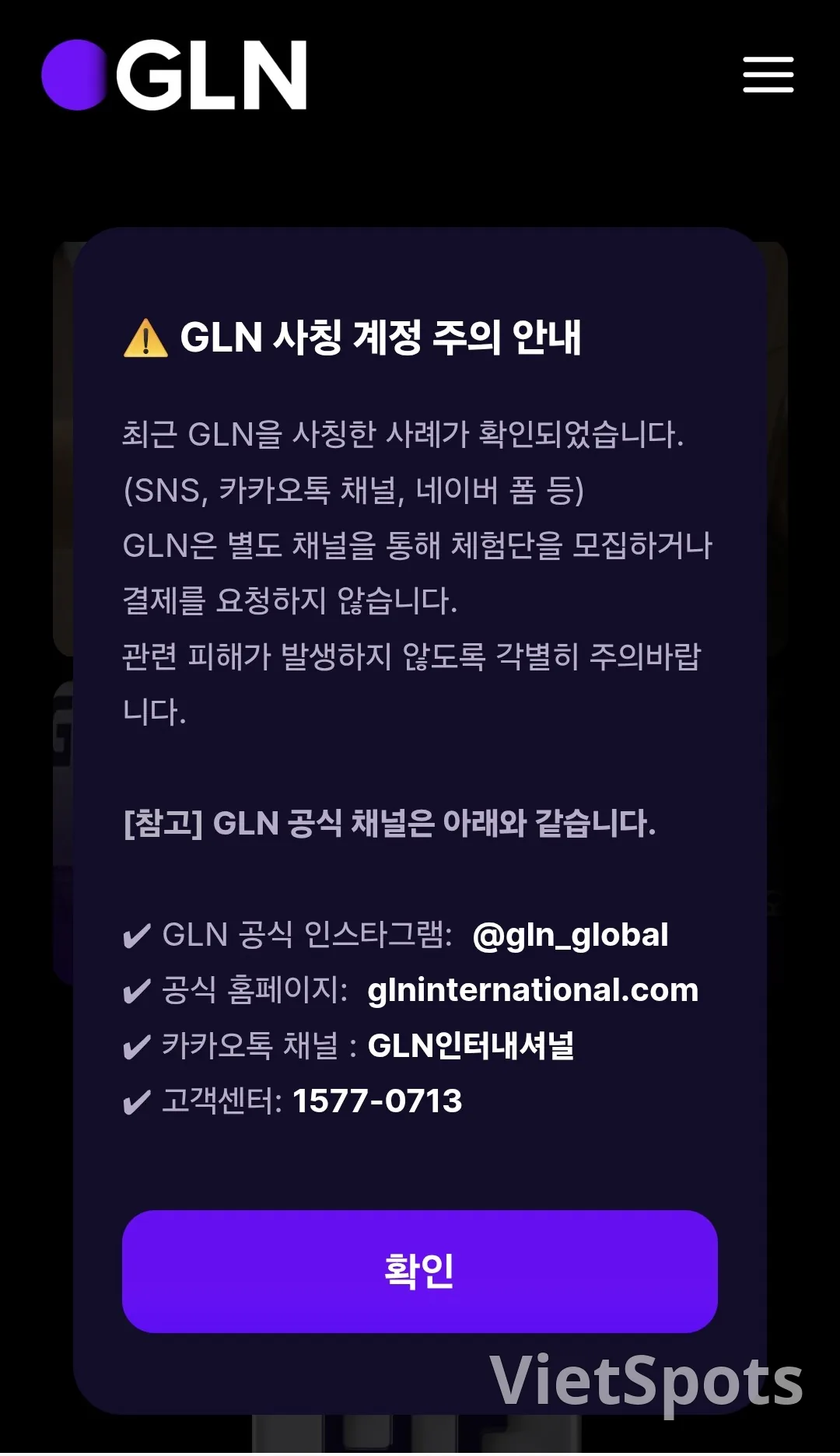
These days GLN payments are so popular that it seems there are scammers impersonating them. Please be extra careful so that you don't end up suffering any damage. I've put together this summary based on my own experience using it and the information from the GLN homepage. I hope it helps with your travel preparations.

Travel Vietnam with VietSpots, in English
- 🎁 Sign up and get 16 Welcome Pack coupons — e.g. Motorbike Rental 45%
- 👑 Member tier discount up to 15% on site (Silver 5% · Gold 15%)
- 🛂 Auto-fill arrival card📶 Compare lowest eSIM prices🚻 Find toilets
Comments