

Just ask before you book
Hours, group size, the menu — ask the venue directly. You don't need a shared language: both sides are translated automatically.
- 1
Step 1
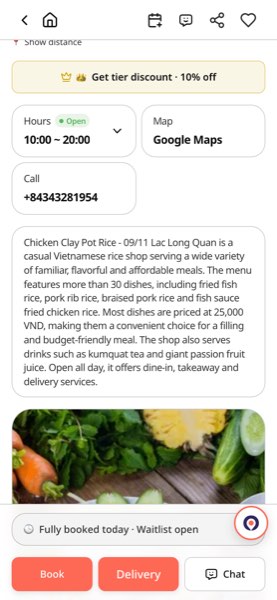
Tap 'Chat' on the venue page
The 'Chat' button sits at the bottom of the venue page next to 'Book' and 'Delivery'. Tapping it opens your conversation with that venue (sign-in required).
- 2
Step 2
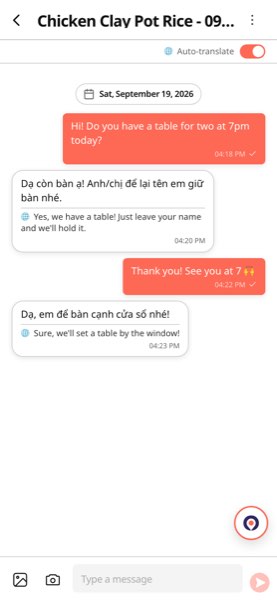
Ask in your own language
Write in your language and the venue receives Vietnamese. Their reply arrives with a 🌐 translated line under the original (auto-translate is on). You can send photos too.
- 3
Step 3
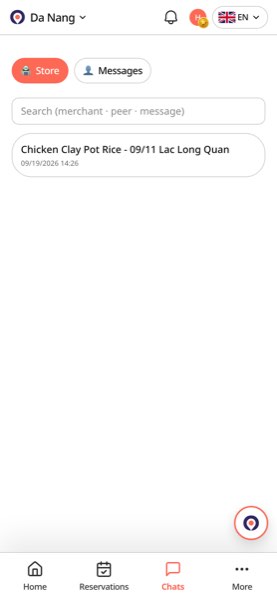
Replies live in the 'Chat' tab
The bottom 'Chat' tab collects every conversation with venues. You get a notification when they answer, and the booking card inside the room takes you straight to booking.
Tip
Phone numbers and outside messenger IDs are masked automatically. Keeping the conversation inside VietSpots is what lets us help if something goes wrong.
Open chat list